
If you run a distribution or trading business on SAP Business One, you have heard the pitch a hundred times by now. Add AI. Ask your data questions in plain English. Get insights. And if you have actually tried it, you already know the quiet disappointment that follows: the AI can tell you what your top SKU was last month, but it cannot build the quote your sales rep is late on right now.
That gap is the whole story. Most AI on SAP B1 today sits beside the ERP as a chat window. It reads. It summarizes. It does not do anything. And the work that actually drains a distributor, parsing a messy RFQ, matching free-text part numbers against a six-figure catalogue, drafting the quotation, writing the order back into the system, is not a chat problem. It is an operations problem.
This article is about what crosses that gap. We build AI-native ERP layers on top of SAP Business One for Singapore distributors and contractors, and the three things below are the ones that consistently move the needle in production, not in a demo.
The short version
AI that reads your SAP B1 data is a feature. AI that writes back to it through the Service Layer is a system. The first impresses people in a meeting. The second changes how the business runs. Everything below is about the second.
01 / The landscapeThree generations of ERP, and where the AI actually lives.
It helps to be precise about what “AI ERP” even means, because the term is being stapled onto everything. There are really three generations, and they are not interchangeable.
GEN 1
Static legacy ERP
SAP Business One in its default form. A faithful system of record. It stores what already happened: invoices, stock levels, business partners. It does not act, and it was never meant to.
GEN 2
Bolted-on automation & chatbots
A chat layer or a few rule-based macros sitting next to the ERP. It can answer questions and trigger simple flows, but it lives outside the work. It reads the system of record; it rarely writes to it. This is where most "AI ERP" tools stop.
GEN 3
AI-native, agentic ERPwhere it gets interesting
Agents embedded inside the workflows themselves. They parse the inbound document, classify it, make the routing decision, draft the artifact, and write the result back to SAP B1 through the Service Layer. A human reviews exceptions only. The ERP stops being a filing cabinet and starts being an operator.
The reason this distinction matters: a Gen 2 chatbot and a Gen 3 agent can look almost identical in a five-minute demo. They diverge completely the moment you ask, “and then what happens to the result?” Gen 2 hands you a paragraph. Gen 3 creates the draft sales quotation in your ERP.
“Add AI to your ERP” usually means a chatbot that can see your data. It almost never means software that can act on it.
02 / What actually works #1Parsing 100,000+ SKUs so reps stop quoting from memory.
Here is a problem we see constantly in distribution and trading. The SAP B1 item master has grown over a decade into tens of thousands, sometimes well past a hundred thousand, of items. The naming is inconsistent. The same product appears three ways. New staff cannot find anything, and senior reps quote from memory because searching the catalogue is slower than guessing.
A customer sends an RFQ that says “50 x 50 x 3mm MS angle bar, 6m, qty 200.” Somewhere in the item master that maps to a specific SKU with a specific code. Finding it by hand means knowing the business. A keyword search in SAP B1 does not understand that “MS” means mild steel or that “angle bar” and “L-angle” are the same thing.
This is the kind of fuzzy, semantic matching that AI is genuinely good at, and where it earns its place. An embedding-based matcher reads the messy free-text line, understands intent, and ranks the most likely SKUs with a confidence score. The rep confirms instead of hunting. New staff become productive in days instead of months.
↓ embed · search · rank
MS Equal Angle 50×50×3mm, 6.0m
STL-ANG-050050030-6M
MS Equal Angle 50×50×4mm, 6.0m
STL-ANG-050050040-6M
MS Equal Angle 50×50×3mm, 9.0m
STL-ANG-050050030-9M
✓top match returned in 0.4s. The rep confirms instead of searching.
// Try the other example RFQ lines. This is a simplified illustration of the matching step, not a live SAP connection.
The important detail is what happens with the confidence score. High-confidence matches flow straight through. Anything ambiguous is flagged for the rep rather than silently guessed. The agent is not replacing judgment; it is removing the search. That is the line we hold on everything: automate the lookup, keep the human on the decision.
100k+
SKUs an agent can index and search semantically
~0.4s
to return ranked matches on a free-text line
days
for new staff to ramp, not months
0
silent guesses. Low confidence is flagged.
03 / What actually works #2Turning an inbound RFQ into a draft quote, end to end.
SKU matching is one step. The bigger win is wrapping it in a pipeline that takes an RFQ from the moment it lands to a draft quotation sitting in SAP B1, with a person reviewing only what genuinely needs a person.
The work breaks into stages, and an agent can own each one: read the inbound document, extract and classify the line items, match each line to the catalogue, apply pricing logic, and draft the quotation. The human steps in at the end to approve, or earlier if the pipeline flags something it is not sure about.
01
Ingest
Read inbound RFQ from email or PDF
02
Extract
Pull line items, qty, specs, classify
03
Match
Map each line to a SAP B1 SKU
04
Price
Apply costing & margin logic
05
Draft
Write quotation back to SAP B1
// Illustrative pipeline. Stage 05 is the one most tools skip: it writes back to the system of record.
Notice stage five. Everything up to “Price” can be done by a Gen 2 chatbot in some form. “Draft” is where it becomes Gen 3, because the output is not a message in a chat window, it is a real draft sales quotation created inside SAP Business One, ready for the rep to review and send. That last hop is the entire difference, and it is the part most AI ERP demos quietly leave out.
04 / What actually works #3Writing back to SAP through the Service Layer.
So how does software actually put a quotation into SAP Business One? This is the technical heart of the whole thing, and the good news is that SAP already gives you the door. It is called the Service Layer.
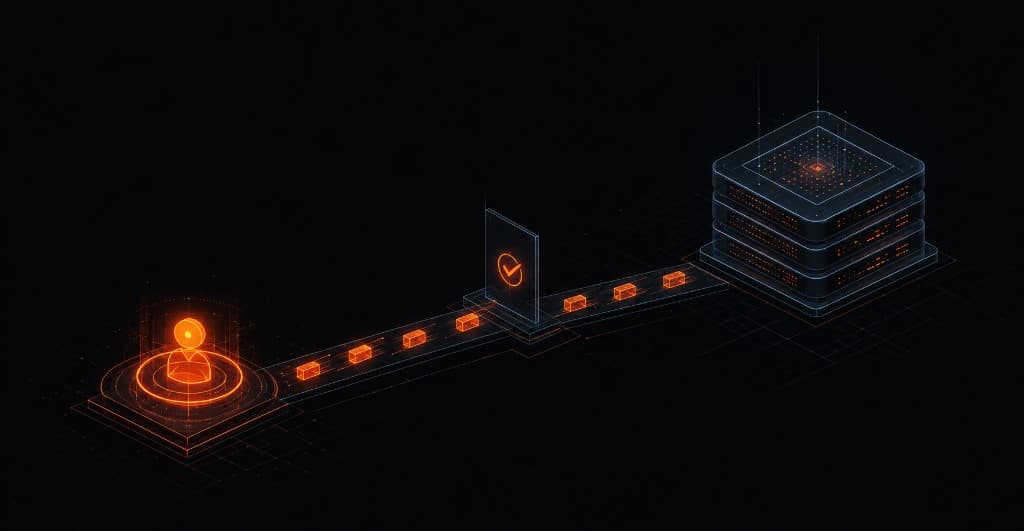
The Service Layer is SAP B1's modern API. It exposes almost every object in the system, business partners, items, sales quotations, orders, deliveries, as OData endpoints you can read from and, crucially, write to. When people say their AI “can't touch SAP,” they usually mean they never built against the Service Layer. It is the difference between scraping screens and integrating properly.
What this enables
An agent that creates a draft sales quotation via the Service Layer is doing the same thing a staff member does when they click “Add” on a new quotation, just faster, and only on the lines a human has not flagged. The data lands in SAP B1 as a first-class object, fully visible, fully auditable, with the human as the final approver. No shadow database. No export-import dance.
This is also where doing it properly matters most. Write-back has to respect the same rules a person would: validation, document status, draft versus posted, permissions. Done carelessly, it creates a mess. Done well, the agent becomes a tireless junior who prepares the work and never posts anything a human has not signed off. We treat write-back as the most safety-critical step in the build, because it is the one that actually changes your records.
The Service Layer is the line between AI that watches your ERP and AI that operates it.
05 / The honest partWhat does not work, and what to be skeptical of.
Being the people who build this, we will tell you where it breaks, because that is more useful than a sales sheet.
- ›Fully autonomous, no-human quoting does not work yet, and you should not want it to. Pricing, credit terms, and customer-specific deals carry too much judgment and risk. The win is removing the search and the typing, not removing the rep.
- ›“Just point AI at your database” does not work. A six-figure item master with inconsistent naming needs a real indexing and matching layer. Generic tools that promise to skip that step tend to produce confident wrong answers, which is worse than no answer.
- ›Ripping out SAP B1 is rarely the move. The system of record is fine. The problem is almost never the database; it is that nothing acts on it. An AI-native layer on top beats a two-year migration you do not need.
- ›Beware anything that can only read. If a vendor cannot show you a write-back into SAP through the Service Layer, you are looking at a Gen 2 chatbot with better marketing.
None of this is theoretical for us. We are building exactly this, SKU parsing across a six-figure SAP B1 catalogue, RFQ-to-quote automation, and Service Layer write-back, for a wholesale distributor in Singapore right now. The patterns above are what survived contact with a real item master and a real sales team, which is the only test that counts.
See what this looks like for your operation.
We run a two-week workflow audit: we study your SAP Business One setup, map where AI agents create the most leverage, and show you exactly what an AI-native layer would do for your business, before you commit to building anything. You walk away with a workflow map, an architecture proposal, a phased plan, and a fixed-price quote.